LifeDNA Design System
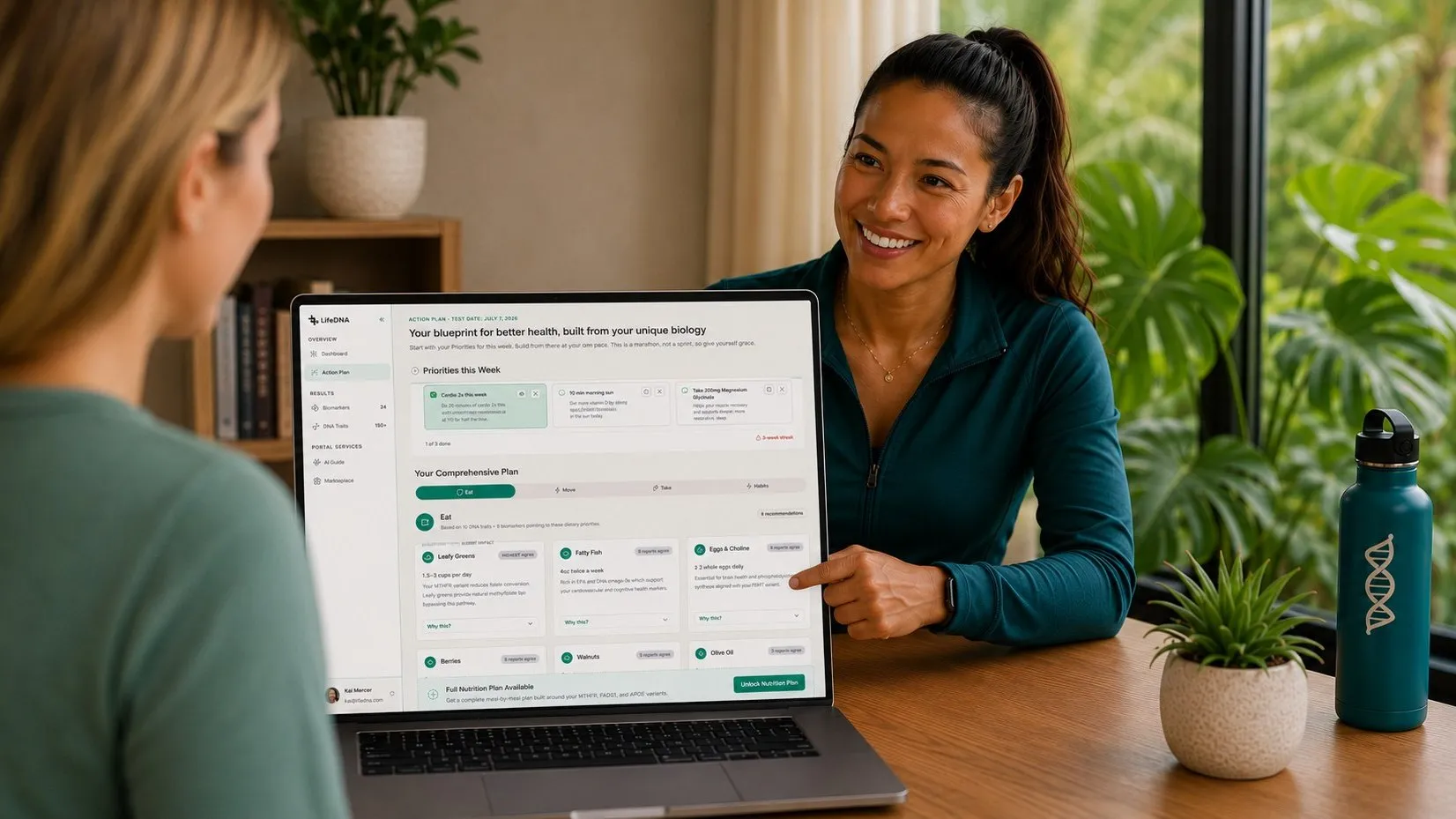
LifeDNA is a consumer genomics platform that pairs a DNA test with biomarker tracking and a personalized action plan. By the time I joined the project, there was a brand identity, a live portal, and a prototype. The client wanted a new design direction, a fully functional web portal, and a design system readable for AI agents.
While the UX team was building a new visual direction and consumer portal, I built the foundations layer: a connected Figma-to-code system with defined contribution processes for humans and agents. The entire system came together in about sixty tracked hours. I ran a mesh of AI agents like a design team.
Project goals
- Stand up a code-connected design system as quickly as possible to enable AI-driven experimentation for the UX team;
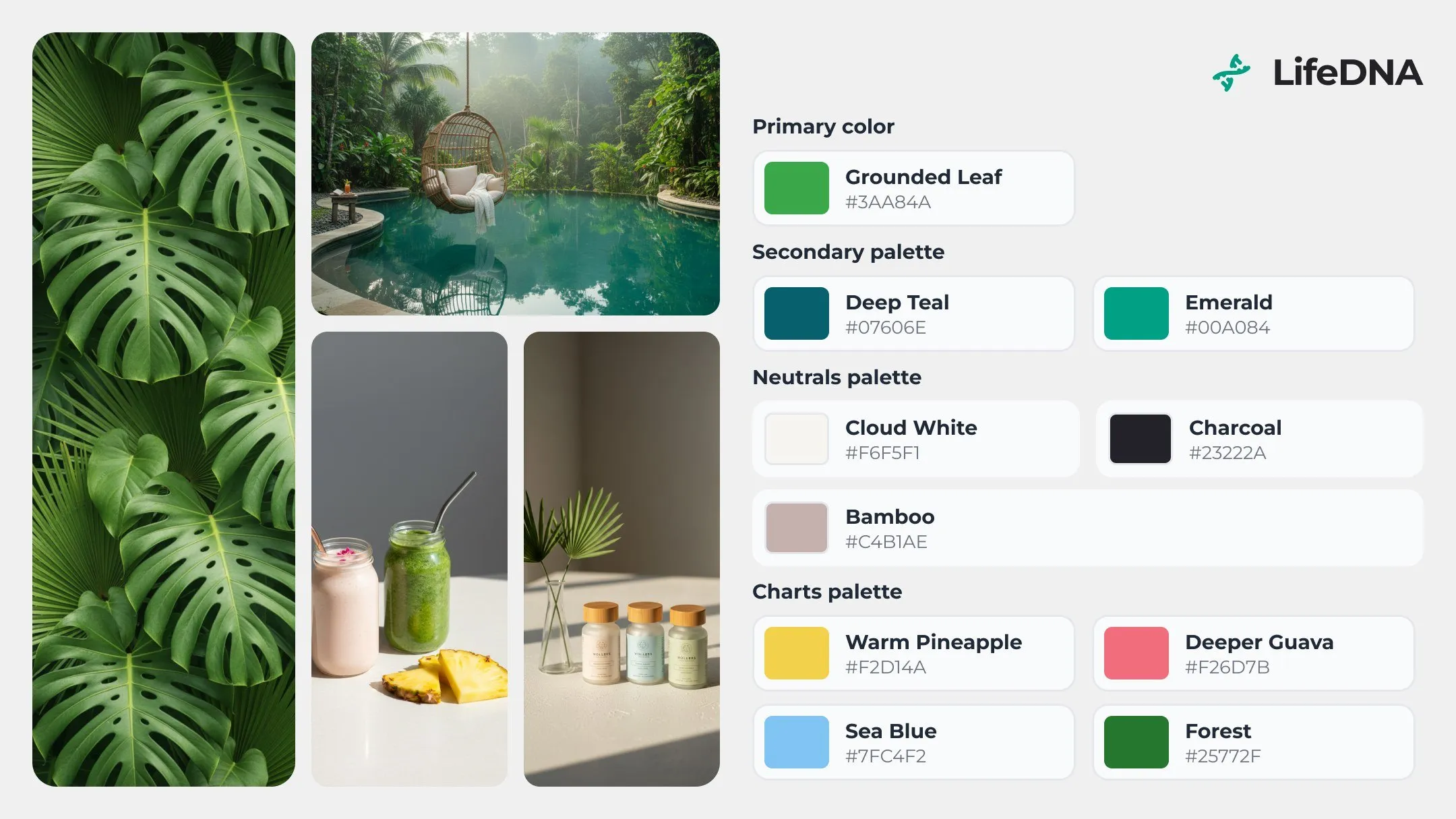
- Convert a set of brand colors into functional primitive ramps, set up typography styles, and component-level semantic tokens;
- Componentize new UX patterns on the go as the team fleshes out the design direction;
- Prove the setup by running the cold Builder agent on the Figma handoff file.
My role
- Solo design-system architect and delivery, July to August 2026,
- Token/variable and theme architecture in Figma, component authoring, documentation,
- Connect the code counterpart: a fork of an open-source component framework, contribution rules, pull requests,
- Set up an operating protocol for a mesh of concurrent AI sessions.
- 57
- tracked hours
- 60+
- component pages
- 16 + 11
- new and customized components
- 4 × 4
- color and device modes
- v1.6
- contribution rules
- 5
- concurrent AI sessions
July to August 2026
in the published library
31 mapped to code
two independent theming axes
six revisions in five weeks
one writer per surface
The starting point
At the start, I had three things to work with: a brand palette, a typeface, and a UX team ready to collaborate. With three weeks to deliver a complete system, I made the call early: clone the open-source shadcn repository, pair it with an MIT-licensed Figma kit, and customize both to LifeDNA's needs. This approach, approved by the client, allowed us to kickstart the project quickly and give the UX team something to work off right away.
Theme architecture
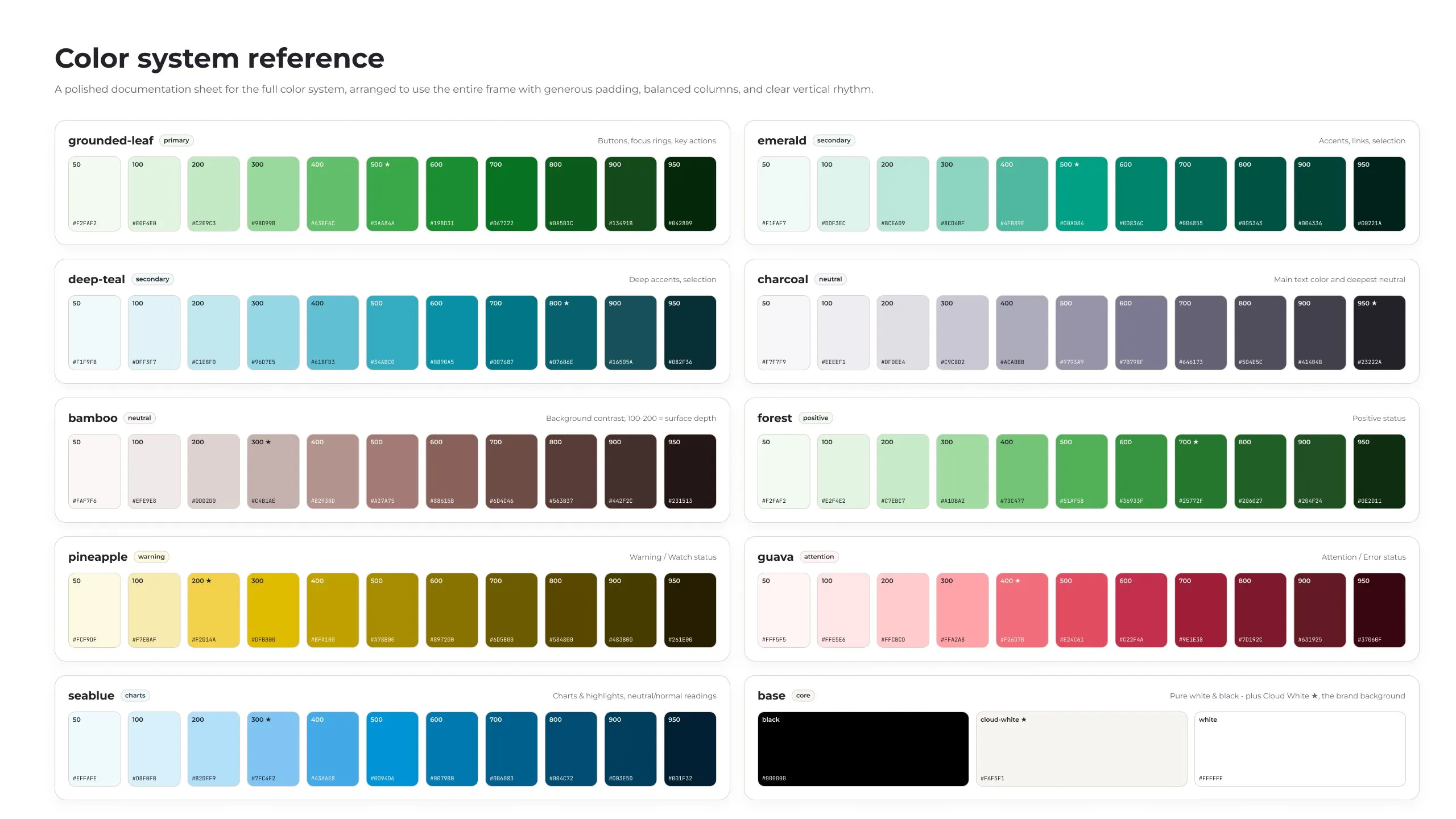
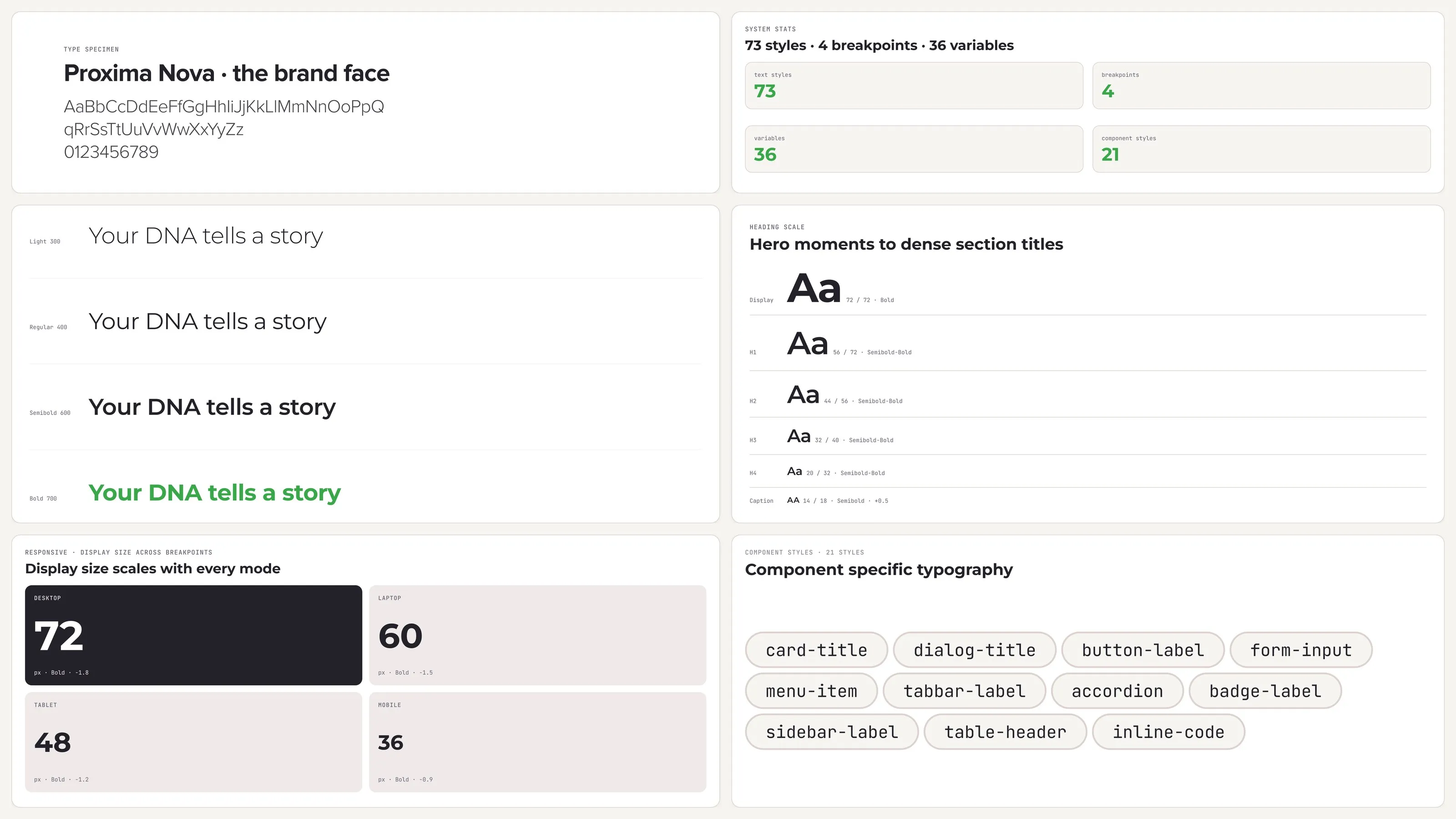
Color variables were structured as primitives and semantic. The semantic layer defined color usage (surface, outline, status, brand) and borrowed the architecture principles from Material 3. Beyond color, the responsive collection covered typography variables, corner radii, and spacing. Finally, several components needed more flexible control and ended up with component-scoped variables. Typography variables became ingredients for styles that inherited their responsive properties.
Variables
Styles
Components
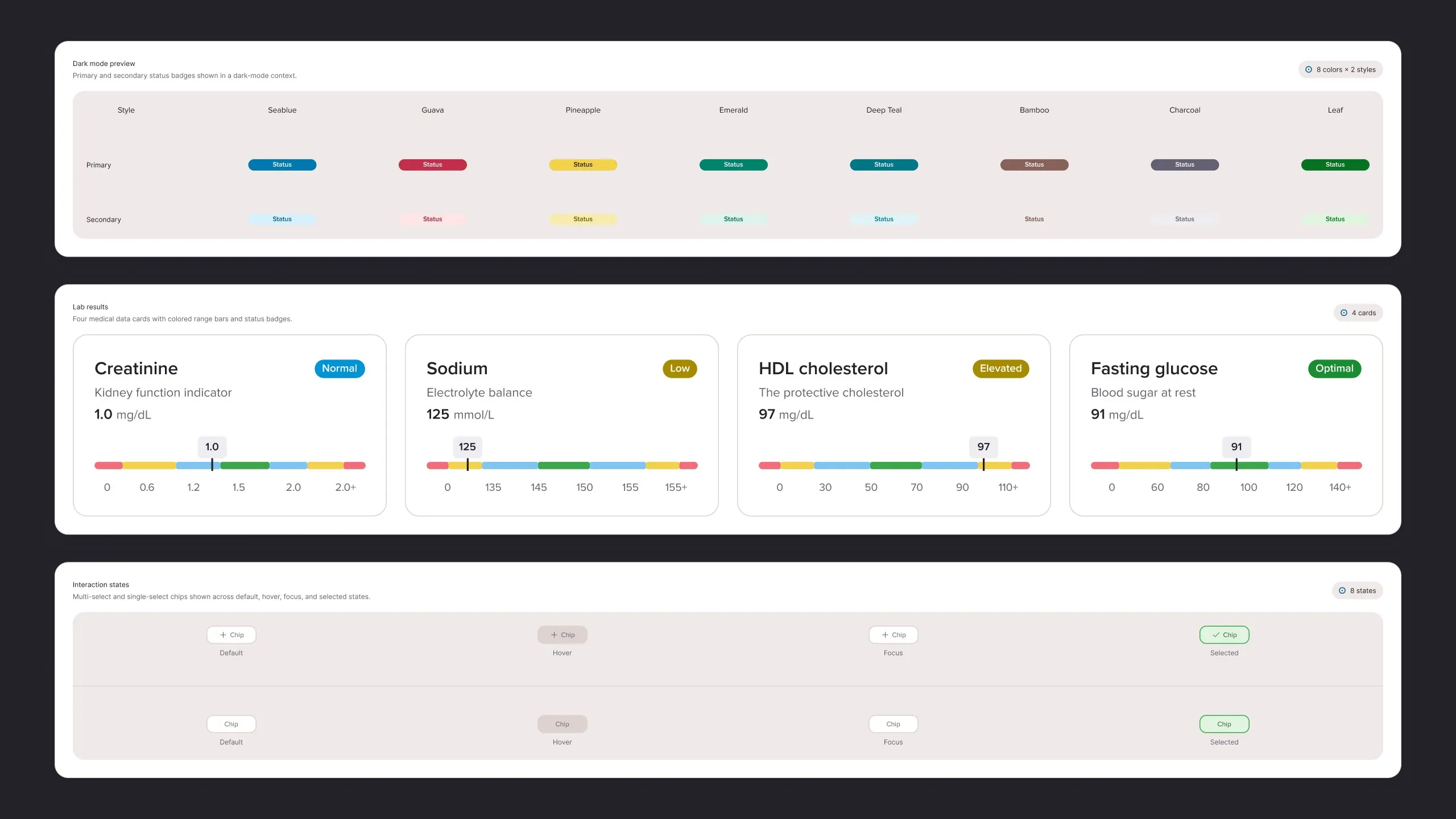
As requests came in from the UX team, I built sixteen new components and customized eleven from what shadcn offered. Finished components carry Figma's ready-for-dev mark and a link to their code file, a free version of Code Connect I introduced to get around Figma-gated features under the Organizational plan.
Drawn on the system
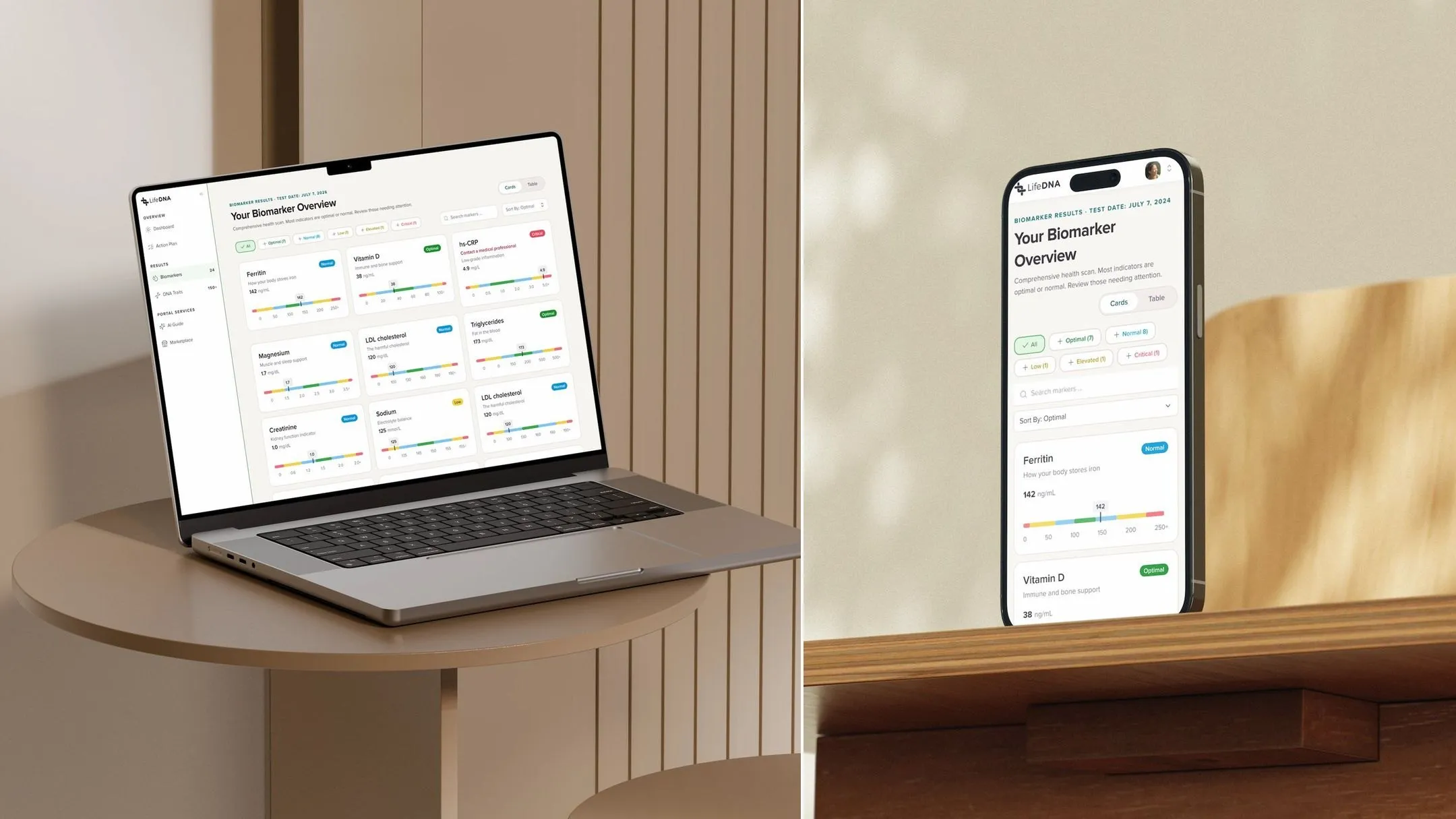
As the requested components became available, the UX team put them to work to define the LifeDNA platform experience. Those mocks became the handoff for the agents to build the platform using code components.
Running agents like a product team
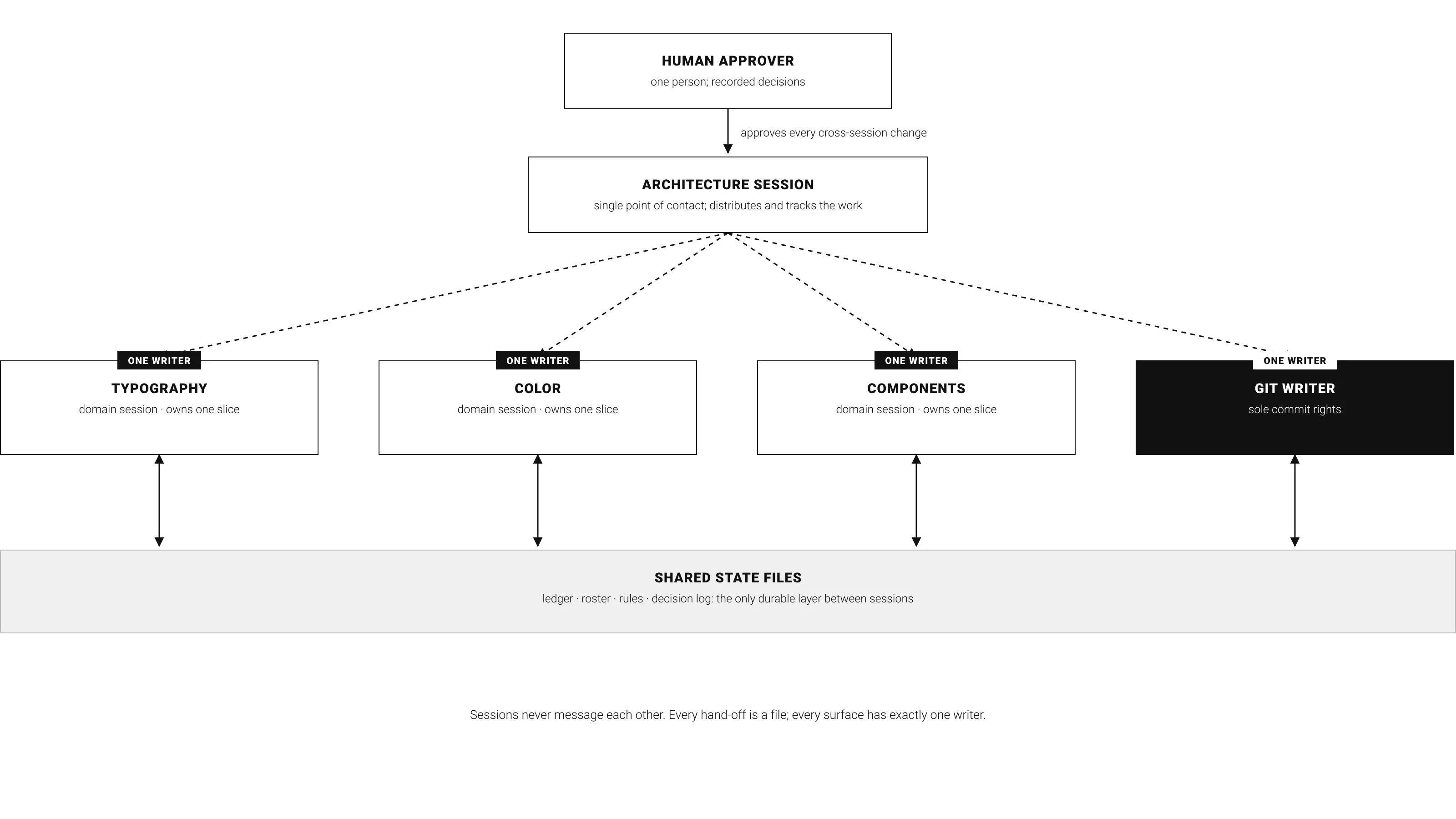
By the second week, the project's velocity had outgrown a single long-running session, so I architected a mesh of agents working in parallel: several sessions, each owning exactly one surface, coordinating through shared .md files. After managing four agents became cumbersome, I dedicated the architecture session to distribute work and direct all the concurrent sessions.
Infrastructure as a product
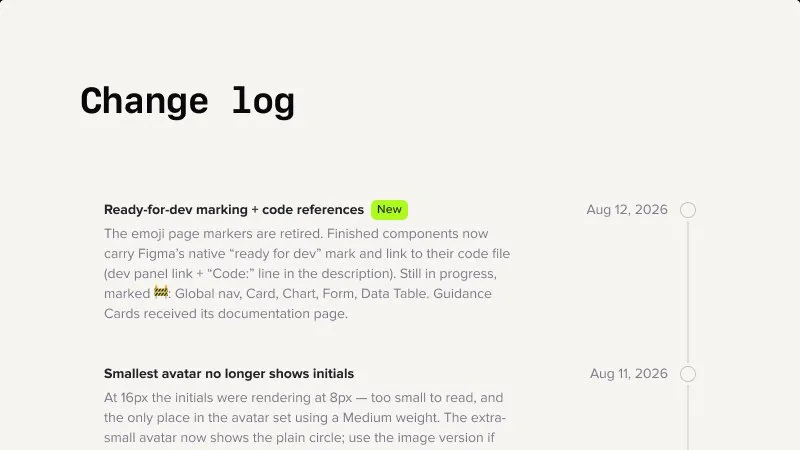
The real deliverable here is the infrastructure itself. Product work can start from any point, in Figma or in code, and everything stays in sync: mappings tie every Figma component to its counterpart in the repository, and every change lands in a change log on both sides. Just as important, AI developer agents stay grounded in codified design decisions, so what they produce comes out consistently on-brand.
Demo and experiment
The final test of an interconnected system is whether a builder can faithfully replicate a Figma mock from the connected code components. I asked Builder A to build from the unlinted UX work file — it was a mix of Figma kit components and designs that became components later. Building from it tested the agent's judgment. Then I linted the same file (and codified the lint process as a repeatable skill) and asked Builder B to do the same job. The goal was to test whether the infrastructure setup pays off in cleaner output.
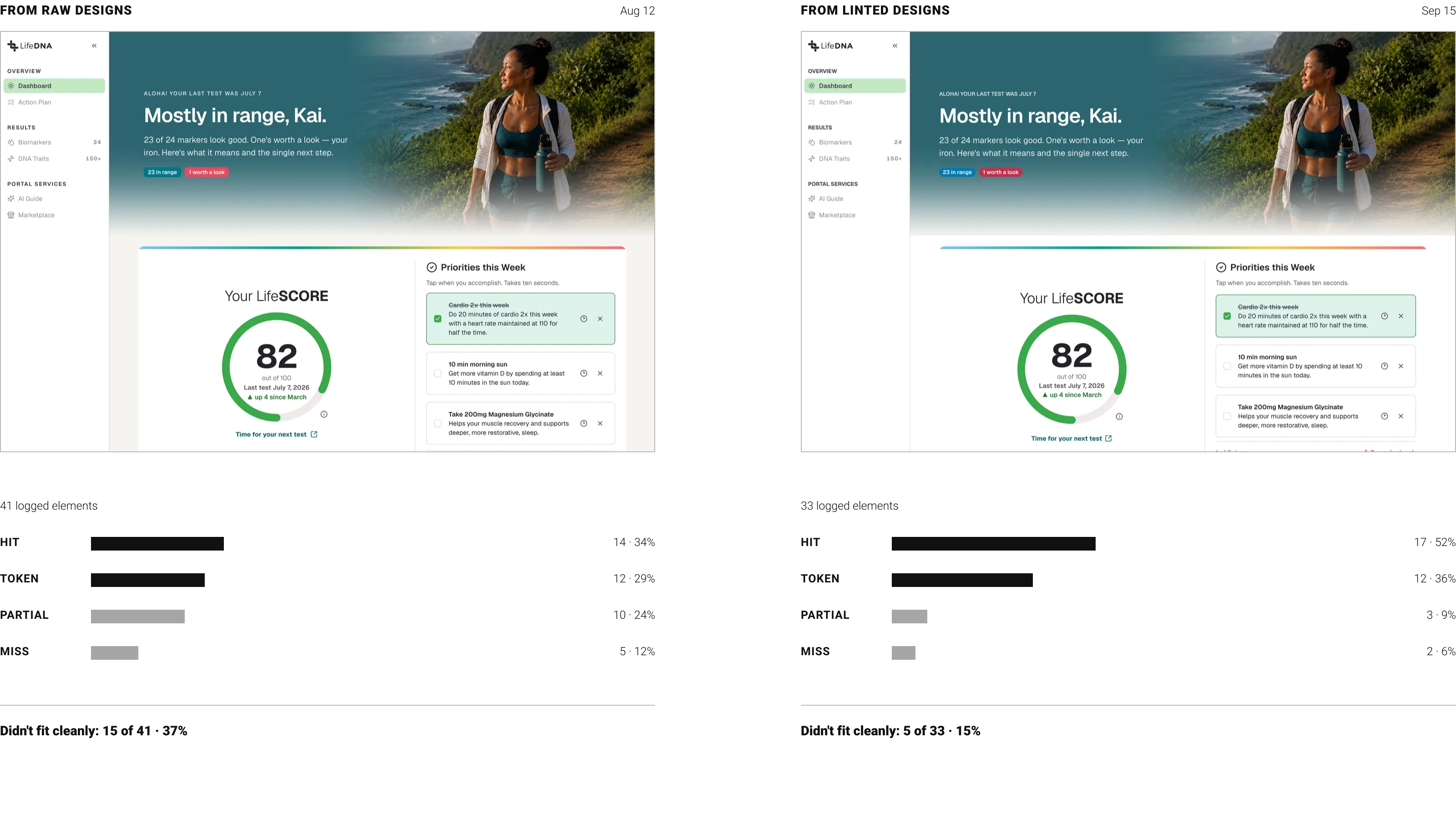
- 41 → 33
- elements, same screen
- 37% → 15%
- didn't fit cleanly
- 34% → 52%
- clean component matches
a linted drawing hands the builder whole components
partial and missed elements, one build per arm
share of all logged elements
The build from the raw designs runs live.
Work done for LifeDNA in 2026. Product screens and identity assets courtesy of the LifeDNA team; kit pages shown are the design library's own documentation.